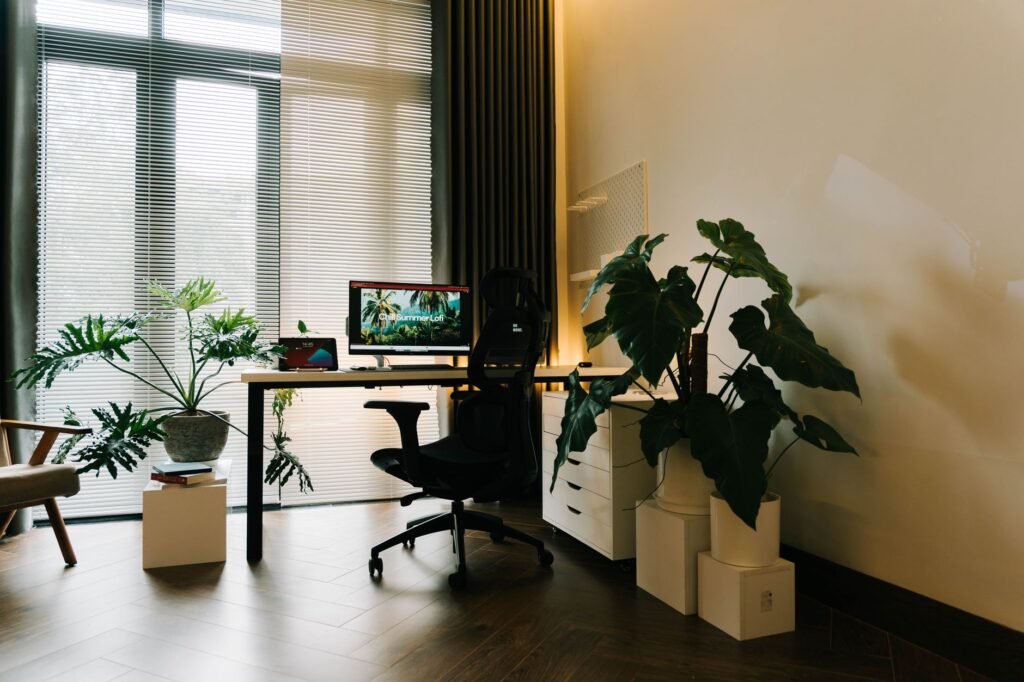
To set up a home office, choose a spot you can leave set up, then arrange the desk, chair and screen so you sit with relaxed shoulders, feet flat and the monitor at about arm’s length near eye level. After that, sort out lighting, noise and a reliable internet connection.
Picking the right spot in your home for a desk
The best location is one you won’t have to pack away every evening. A spare bedroom with a door is ideal, but a corner of a bedroom, a wide hallway nook or a closet with the doors removed can all work. Look for three things before you move furniture.
- Outlets nearby, so cords don’t run across walkways.
- A decent internet signal. Test the speed from that exact spot before committing.
- Some separation from household traffic, especially if you take calls.
Natural light helps, but think about where the window is. Sitting with a bright window directly behind your screen, or directly behind you, causes glare and makes video calls look dark.
Positioning the monitor for your eyes and neck
Screen position causes more neck strain than almost anything else, and laptops are the usual culprit because the screen sits too low. The OSHA computer workstations guide gives clear starting points.
| Setting | Starting point |
|---|---|
| Viewing distance | 20 to 40 inches from your eyes to the screen |
| Height | Top of the screen at or slightly below eye level |
| Center of the screen | 15 to 20 degrees below horizontal eye level |
| Tilt | No more than 10 to 20 degrees, angled to cut glare |
If you work on a laptop all day, raise it on a stand or a stack of books and add a separate keyboard and mouse. That one change fixes the hunch most people fall into.
Chair height, desk height and keyboard reach
Set the chair first. Adjust the height until your feet rest flat, using a footrest if they cannot reach the floor, with your thighs roughly level. Your lower back should touch the backrest, and a small cushion can fill the gap if the chair has no lumbar support.
Next, check the desk. With your shoulders relaxed and elbows close to your sides, your forearms should be about level with the keyboard, and your wrists shouldn’t bend sharply up or down. If the desk is too high, raise the chair and use a footrest. Keep the mouse right next to the keyboard so you aren’t reaching sideways for hours.
Lighting, glare and noise at a home desk
Good lighting is mostly about avoiding contrast. Aim for even room light, then add a desk lamp that lights your papers without shining on the screen. Put the screen at a right angle to the window where you can, and use blinds to soften afternoon sun.
For noise, soft surfaces help more than you’d expect. A rug, curtains and a bookshelf all absorb sound, and a pair of headphones with a microphone makes calls clearer on both ends. For video calls, light your face from the front rather than from behind. Raise the camera to about eye level so it isn’t looking up at you, and check what shows in the background before your first meeting. A blank wall, a shelf or a closed door keeps the attention on you.
Cables, storage and keeping work separate
A surge protector, a few cable ties and a tray under the desk keep cords off the floor. Give every item you use daily a place within reach and store the rest out of sight, since a cluttered desk tends to spread.
Plan for the internet going down, too. Know how to turn on your phone’s hotspot, and keep your router somewhere central and uncovered, since walls and cabinets weaken the signal.
A clear boundary helps too. Shutting down the computer and leaving the room at the end of the day signals that work is over. If you’re self-employed and wondering about deducting the space, the IRS explains the exclusive and regular use rules in Publication 587; a tax professional can say how it applies to you.
Frequently asked questions
How much space do I need for a home office?
Less than most people think. You need room for a desk deep enough to hold the screen at a comfortable distance, a chair that can roll back, and space to stand up without bumping anything. A small corner can work if the screen, chair and lighting are set up well.
Is it bad to work from a laptop all day?
A laptop on its own forces a tradeoff, because the screen and keyboard are joined. Either your neck bends to see the screen or your arms reach up to type. Raising the laptop to eye level and adding a separate keyboard and mouse solves most of the problem.
Should I buy a standing desk for my home office?
A standing desk lets you change position during the day, which many people find comfortable. Standing all day brings its own strain, so the benefit comes from switching. If you buy one, set the standing height using the same elbow and screen guidelines you use when sitting.
What are the benefits of an ergonomic chair?
An ergonomic chair adjusts to your body, so it can support your back, legs and arms while cutting down on awkward postures and pressure points. OSHA says more adjustability gives a better fit and lets you shift positions through the workday. Look for adjustable seat height, lumbar support, seat depth and armrests on a sturdy five leg base.
What is ergonomic furniture?
Ergonomic furniture is designed to adjust to the person using it. OSHA describes ergonomics as fitting the job to the person, which lessens muscle fatigue. At a home desk that usually means a chair with adjustable height and lumbar support, a desk or keyboard tray near elbow height, and a way to raise the monitor.